
Factories & the Create Payload
A factory is a small function that knows how to create - and optionally delete - one model. The SDK writes data only through the factories you register. There is no SQL introspection and no raw-SQL fallback.
Anatomy of a factory
import { z } from 'zod'import { defineFactory } from '@autonoma-ai/sdk'
Organization: defineFactory({  // 1. Drives the discover schema and validates incoming data  inputSchema: z.object({ name: z.string(), slug: z.string() }),
  // 2. Optional: validates the record on teardown and types `record`  refSchema: z.object({ id: z.string(), name: z.string(), slug: z.string() }),
  // 3. Called during `up`. `data` is typed from inputSchema.  create: async (data) => organizationService.create(data),
  // 4. Called during `down`. `record` is typed from refSchema.  teardown: async (record) => organizationService.delete(record.id),})
The generics are inferred from the schemas, so you never write z.infer<...>:
dataincreateis the parsedinputSchema.recordinteardownis the parsedrefSchema(orRecord<string, unknown> & { id }if you omitrefSchema).createmust return an object with anidfield (e.g.{ id: "..." }). This is whatdownuses to delete the record and what other factories reference. If your service returns a differently-named key, map it in the factory:create: async (data) => { const u = await userService.create(data); return { id: u.userId } }. Everything else you return is stored in refs and passed to later factories. A factory that returns noidfails withFACTORY_MISSING_PK.
Always call your real code
Register a factory for every model the dashboard can create. Point create at the function your app already uses:
| What your code has | What create should do |
|---|---|
A create / insert / register function in a service or repository | Call that function |
| That function also hashes passwords, generates slugs, syncs to Stripe… | Call it anyway - your factory inherits the logic for free |
| Only inline ORM calls scattered across route handlers | Make the same ORM call directly in create |
| A seed-only lookup table that’s never created at runtime | Omit it, or write a factory that re-creates the seed row |
Even if ProjectService.create() today just wraps prisma.project.create(), wire it up. The day it gains a side effect, your tests keep working with zero rewiring.
Linking records with _alias and _ref
The create field in an up request is a flat map keyed by model name. Each value is the array of records to create. Records point at each other with two reserved keys:
_alias- a unique name you give a record so others can reference it._ref-{ "_ref": "alias" }resolves to the realidof the aliased record once it exists.
{ "create": { "Organization": [{ "_alias": "acme", "name": "Acme Corp", "slug": "acme-corp" }], "Application": [{ "_alias": "webApp", "name": "Marketing Website", "organizationId": { "_ref": "acme" } }], "Test": [{ "name": "Homepage Test", "applicationId": { "_ref": "webApp" } }] }}Set every foreign key explicitly on the record that owns it, using _ref. This includes the scope/tenant field - the SDK never injects it for you.
How the SDK resolves the graph
From that _alias / _ref graph, the SDK builds a dependency tree and sorts it so a referenced record is always created before the records that point at it:
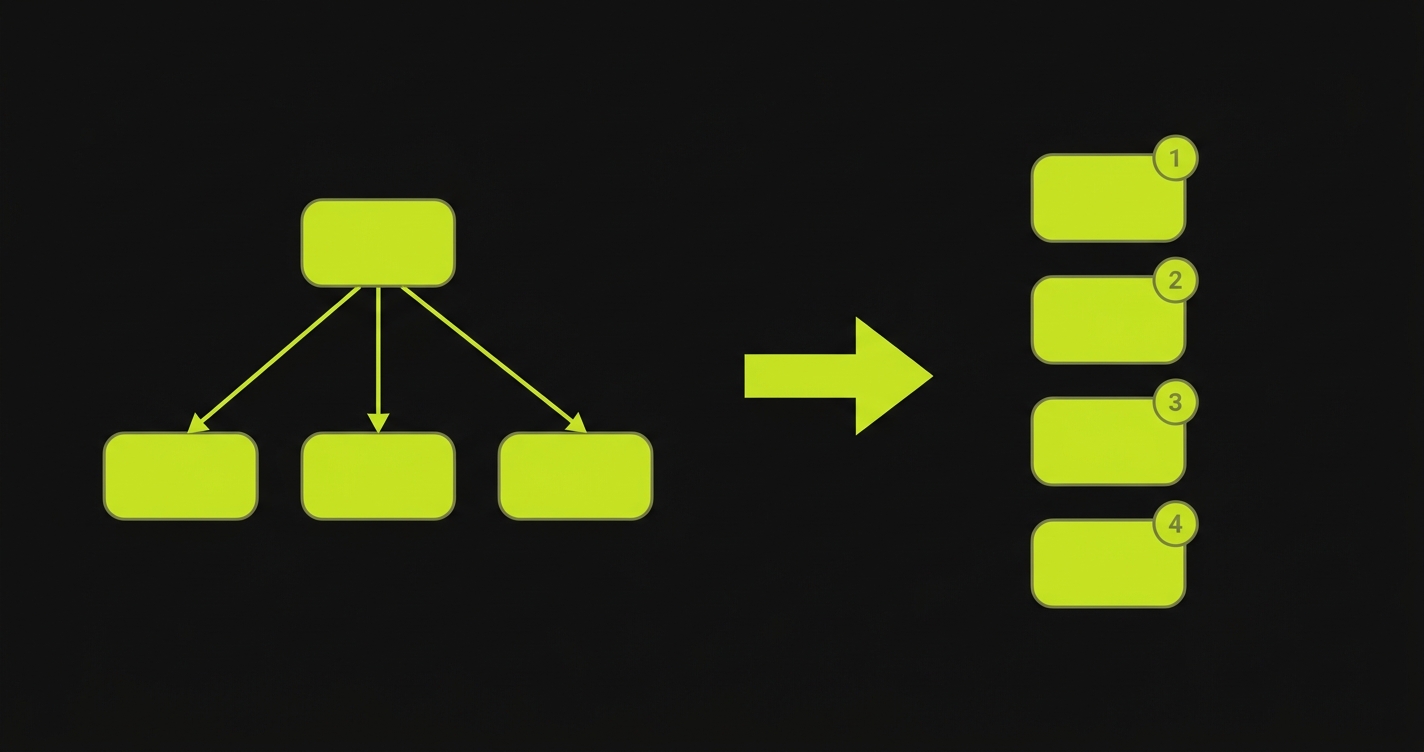
- Walk every record, collecting each
_aliasand every_ref. - Topologically sort so parents come before children - regardless of key order.
- Validate each record through its
inputSchema, then callcreate. - Replace every
{ "_ref": "alias" }with the real id before the factory runs - your factory never sees a placeholder.
On down, factories with a teardown run in reverse order.
Rules worth remembering:
_aliasmust be unique across the whole payload.- Every alias a
_refpoints at must be declared in the same payload - the SDK never looks it up in the database. - A
_refcan appear anywhere in a record: a top-level FK, a nested JSON blob, an array element. The SDK finds it. - Models are created only when they appear as a top-level key. A record array nested inside another record’s field is passed to the factory as opaque data, not created separately.
What to include and omit
Include: required fields without defaults, every foreign key (via _ref), the scope field, and unique fields made unique per run (put the {{testRunId}} or {{testRunShortId}} token in emails and slugs).
Omit: id, fields with database defaults, auto-updated timestamps, and any row your factory mints transitively (see below).
Dependents, cascades, and teardown
A single create often mints more than one row - a WorkspaceService.create might insert a workspace plus a default channel and an onboarding record in one transaction. The SDK doesn’t know about those extra rows, so you have to tell it how to clean them up. Four options, best first:
-
Schema cascade. If the foreign keys from every dependent back to the root are
onDelete: Cascade, deleting the root is enough. Nothing to configure. This is usually the intent when one transaction mints everything. -
Call your app’s delete function. If you already have a
WorkspaceService.deletethat removes the whole subtree, call it fromteardown:Workspace: defineFactory({inputSchema: WorkspaceInput,create: async (data) => workspaceService.create(data),teardown: async (record) => workspaceService.delete(record.id),}) -
Forward the dependent IDs
createalready returns. If the productioncreatereturns the child IDs, surface them into refs and delete them in reverse FK order:Workspace: defineFactory({inputSchema: WorkspaceInput,create: async (data) => {const { workspace, channel } = await workspaceService.create(data)return { id: workspace.id, channelId: channel.id }},teardown: async (record) => {await db.channel.delete({ where: { id: record.channelId } })await db.workspace.delete({ where: { id: record.id } })},}) -
None of the above - stop. Don’t modify a production
createjust to return more IDs for the test harness. Instead, add a cascade to the schema, add a delete function to the service, or accept orphans between runs (fine when the test database is reset periodically).
Factory context
Both create and teardown receive a context object. There is no SDK-managed database client - import the same client your app’s services already use.
interface FactoryContext { refs: Record<string, Record<string, unknown>[]> // everything created so far scenarioName: string // kept for compatibility - holds the testRunId testRunId: string}scenarioName does not carry the scenario’s name. The scenario name never crosses the wire - the
up request is { action, create, testRunId } - so the SDK fills the field with testRunId and keeps
it only for backwards compatibility. Use testRunId, and do not branch on scenarioName expecting a
value like adminWithTwoProjects.