
Multiple repositories
Autonoma tests a pull request by opening one app in a browser - the frontend. The apps and services behind it can live in a single repository or several; when they span repositories, Previewkit pulls them all into the same preview.
The frontend
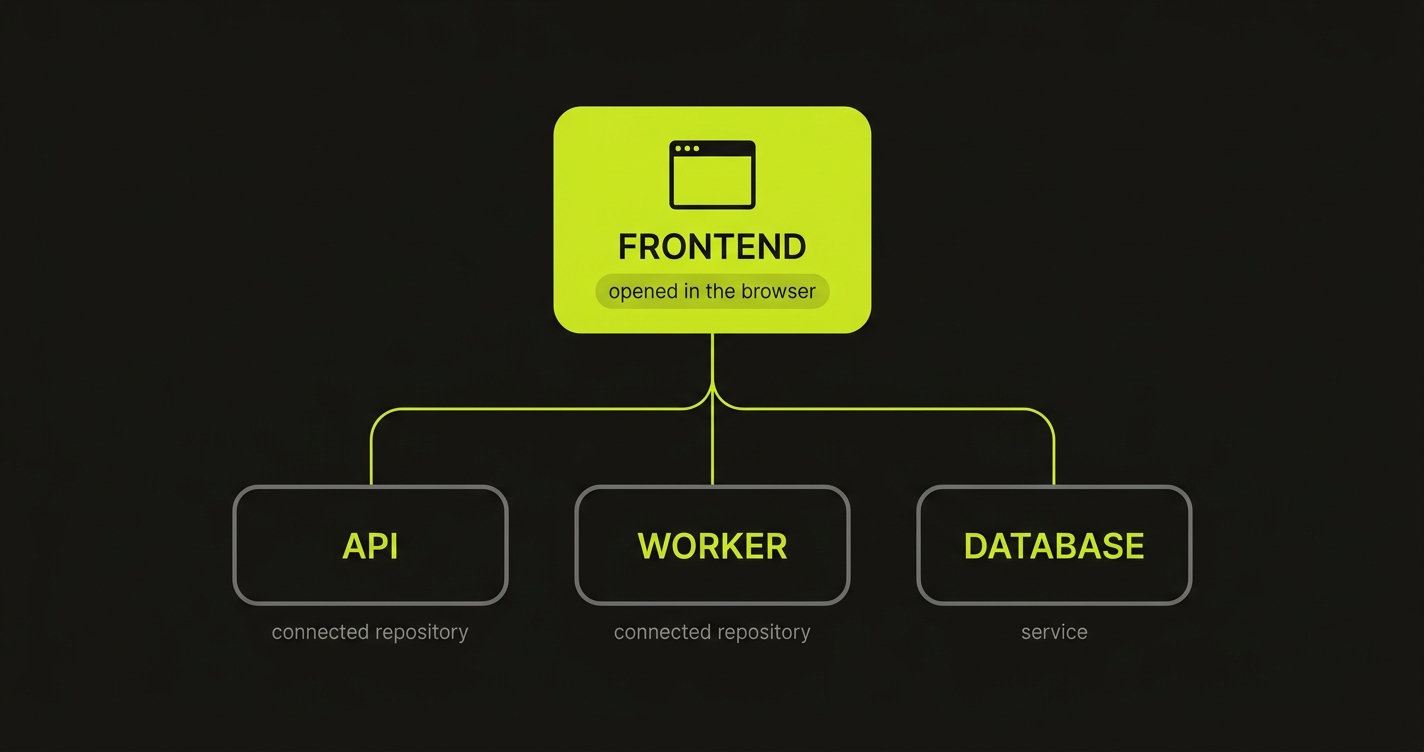
Every project has exactly one frontend: the app Autonoma opens in the browser to run its tests, and whose address becomes the preview’s URL. It lives in the repository you open pull requests against.
The frontend rarely stands alone - it calls an API, background workers, a database. Those can sit in the same repository, or in their own. Either way they deploy together, into the single preview environment for that pull request, and Previewkit wires them to each other. Think of the frontend as the root of a tree: everything else is there to support the one thing the browser opens.
Connected repositories
When an app your frontend needs lives in a different repository, you add that repository as a connected repository. You do it while adding an app: pick which repository the app comes from, or connect a new one through the Previewkit GitHub App. Each connected repository carries two settings:
- Alias - a short, lowercase name (e.g.
api) that identifies the repository in your config and in generated resource names. It has to be unique across your repositories. - Fallback branch - the branch to deploy when branch matching finds no match (see below). Defaults to
main.
Every app from the same connected repository shares these two settings.
Which branch gets deployed
For the repository you open pull requests against, the answer is obvious: the pull request’s own branch. For a connected repository it isn’t - the pull request’s branch usually doesn’t exist there. Branch matching is the single rule that decides which branch of every connected repository Previewkit builds for a given pull request.
If the branch it picks doesn’t exist in the connected repository, Previewkit always falls back to that repository’s fallback branch, so a preview never fails just because a connected repository has no matching branch.
| Branch matching | For a PR on branch feature/x, a connected repository builds… |
|---|---|
| Same branch name (default) | feature/x if that branch exists there, otherwise the fallback branch. Use this when you develop a feature across repositories on branches with the same name. |
| Fallback branch only | Always the fallback branch (e.g. main). Use this when the connected repository is a stable service you don’t branch per feature. |
| Regex rewrite | A branch name derived by rewriting feature/x with a regular expression (e.g. stripping a feature/ prefix), falling back if the result doesn’t exist. Use this when your repositories follow different but predictable branch conventions. |
Branch matching is set once and applies to every connected repository in the project; the fallback branch is per repository.