
Previewkit
Previewkit gives every pull request its own live, isolated, full-stack preview of your app. It's the foundation Autonoma reviews run against - and the first thing you set up when you connect a repo.
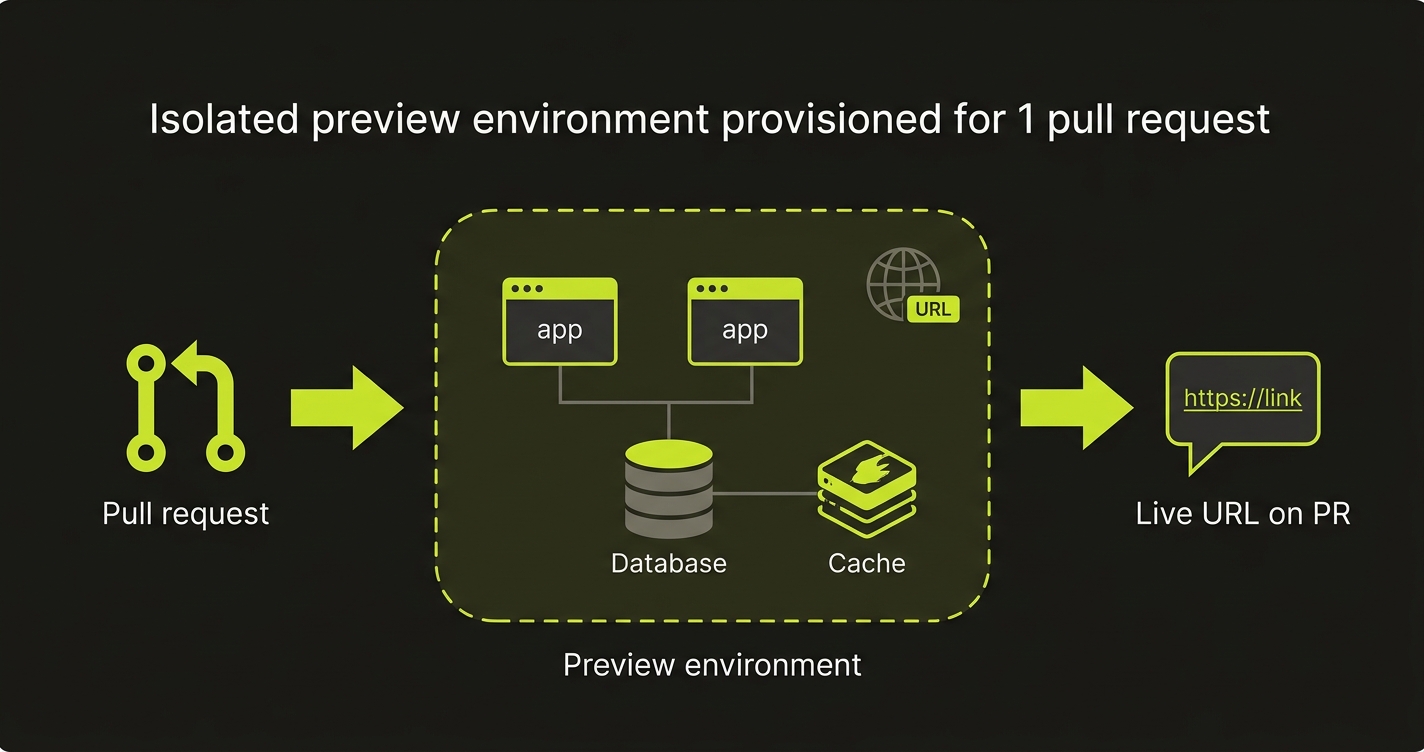
You describe your stack once - apps, the databases they need, and their environment variables - and Previewkit handles the rest: building the containers, provisioning the databases and extra services, running setup tasks, wiring environment variables, and posting the URL back to the PR.
How it works
Once the Previewkit GitHub App is installed on your repository, every pull_request event triggers the pipeline:
- Opened / synchronized / reopened - Previewkit fetches the head commit, builds each app, provisions the databases and extra services it needs, runs the database setup tasks, deploys to a dedicated Kubernetes namespace, and comments the preview URL on the PR.
- Closed - Previewkit deletes the namespace and all resources tied to that PR, then updates the comment.
Each preview gets a stable, unguessable URL - a short hash derived from the service name, PR number, and repo, so the same PR always resolves to the same address. One PR may expose several apps, each with its own hostname under preview.autonoma.app.
A repository can also have a standing main-branch environment: a preview deployed from the repository’s main branch instead of a PR. Once it exists, every push to that branch redeploys it at the new head automatically, the same way a new commit updates a PR’s preview.
What you configure
You set up your stack in the Autonoma dashboard (the Previewkit onboarding flow), which saves the configuration for your repository. The flow has three required steps - Apps, Databases, and Variables - plus two optional pieces most projects never need. It declares:
- Apps to build and deploy (each becomes a public HTTPS URL) - see Apps and builds
- Databases the apps need (Postgres, MySQL, MongoDB, Redis / Valkey), each with guided setup for schema, seed data, and migrations - see Databases
- Variables - environment variables and secrets for each app and database, with templates that resolve hostnames at deploy time and a per-row toggle to mark a value as a secret
- Extra services (optional) - non-database Docker images like Sentry or an OTel collector - see Extra services
- Lifecycle hooks (optional) - commands that run around each deploy - see Lifecycle hooks
Extra services and lifecycle hooks sit off the main path: the flow finishes at Variables, and you reach them only if your setup needs them.
How apps are built
Each app builds one of two ways, chosen per app:
- Manual - pick a runtime (Node, Python, Go, and more), then write a short bash build script and an entrypoint. No Dockerfile required.
- Dockerfile - point Previewkit at an existing Dockerfile in your repo, built with BuildKit.
Either way, images are pushed to a private registry and pulled by the preview cluster - you never touch credentials. See Apps and builds for the full reference.
Secrets
Secrets such as API keys and third-party tokens are stored encrypted and kept out of your stack configuration. Flag any value as a secret with the per-row toggle in the onboarding Variables step, or manage them out-of-band via the REST API (handy for CI and rotating values without editing the config). They can be owner-scoped (every PR sees them) or PR-scoped (just this PR, useful for testing prod credentials in isolation). Previewkit also injects a few built-in environment variables (AUTONOMA_PREVIEWKIT, AUTONOMA_PREVIEWKIT_PR, AUTONOMA_PREVIEWKIT_URL) into every preview so your app can detect it’s running in a preview. See Secrets.
What’s next
- Apps and builds - build methods, runtimes, and per-app settings
- Databases - engines, guided setup tasks, and where they run
- Extra services - non-database side containers
- Lifecycle hooks - commands that run around each deploy
- Multiple repositories - pull apps from more than one repository
- Manage secrets - REST API reference