
Introduction
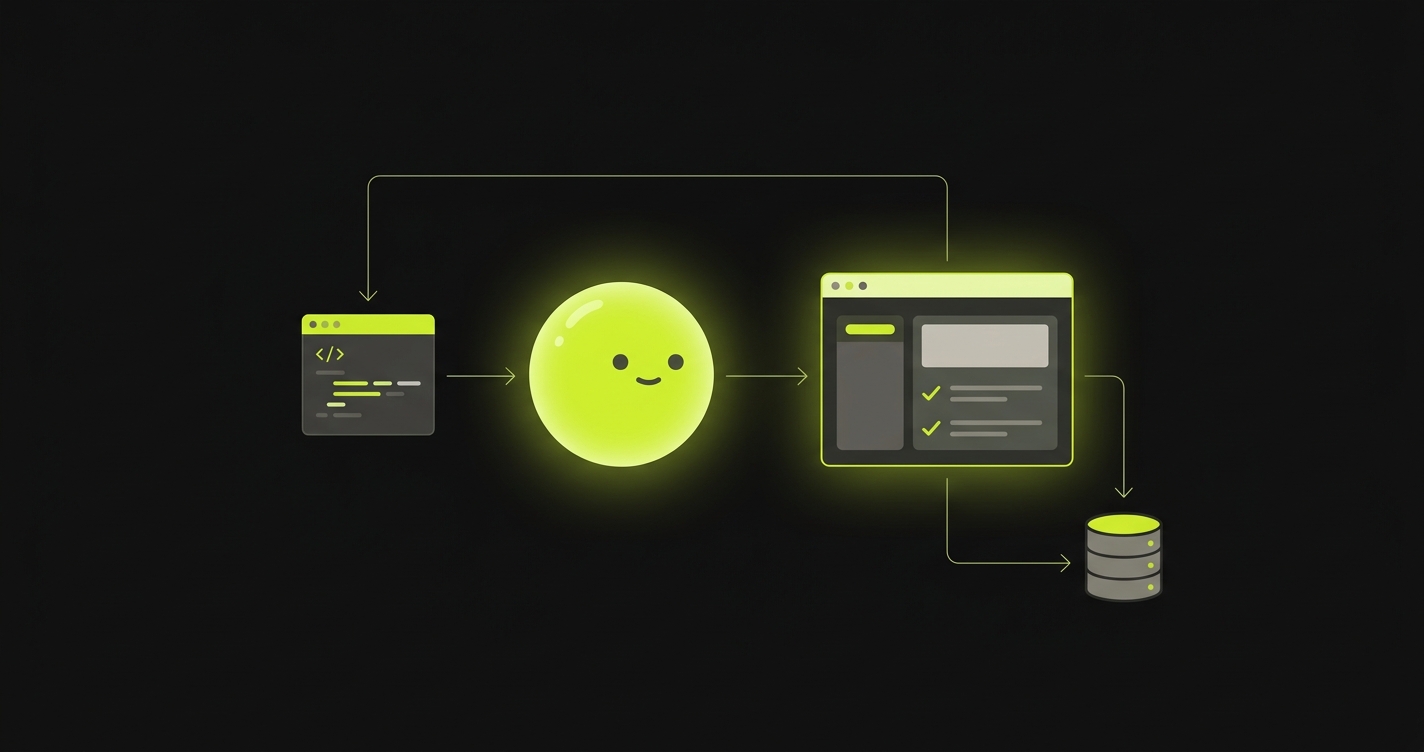
Autonoma is an agentic end-to-end testing platform. Connect your repository and every pull request gets reviewed automatically on a live preview environment - an AI agent exercises your app in a real browser, checks that it still works, and reports back on the PR.
You don’t write or maintain test scripts. There are no selectors to update when a button moves. Autonoma generates a suite of natural-language tests from your codebase, and an agent figures out how to run them - picking elements, making assertions, and healing itself when your UI changes.
How it works
Every pull request runs through the same loop, from opening the PR to a reviewed result:
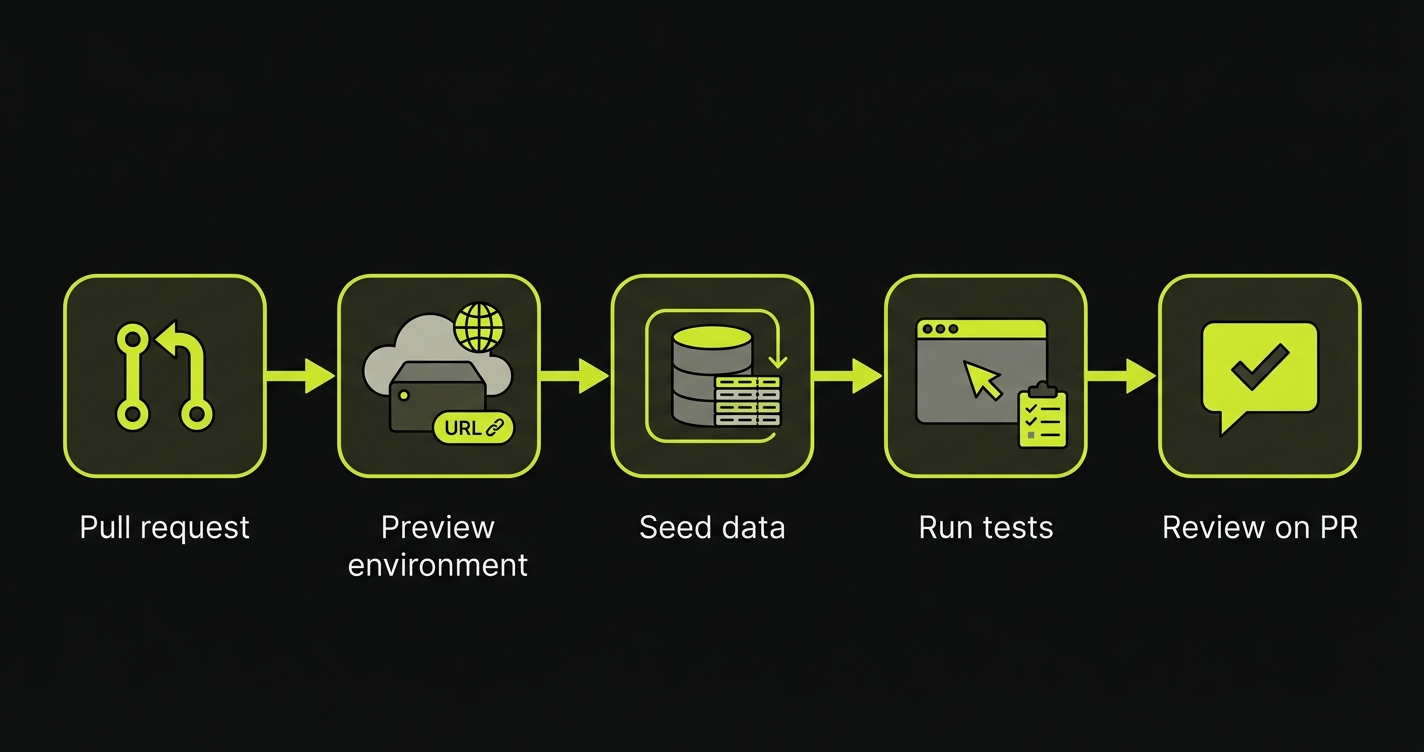
- Pull request - you open a PR (or push a change to one).
- Preview environment - a preview environment builds an isolated, full-stack preview of your app for that PR and gives it a live URL.
- Seed data - the Environment Factory creates fresh, isolated test data so every run starts from a known state.
- Run tests - the agent runs your test suite against the preview, exercising the app in a real browser.
- Review on PR - Autonoma reviews each run, confirms what passed and what broke, and comments the result back on the pull request.
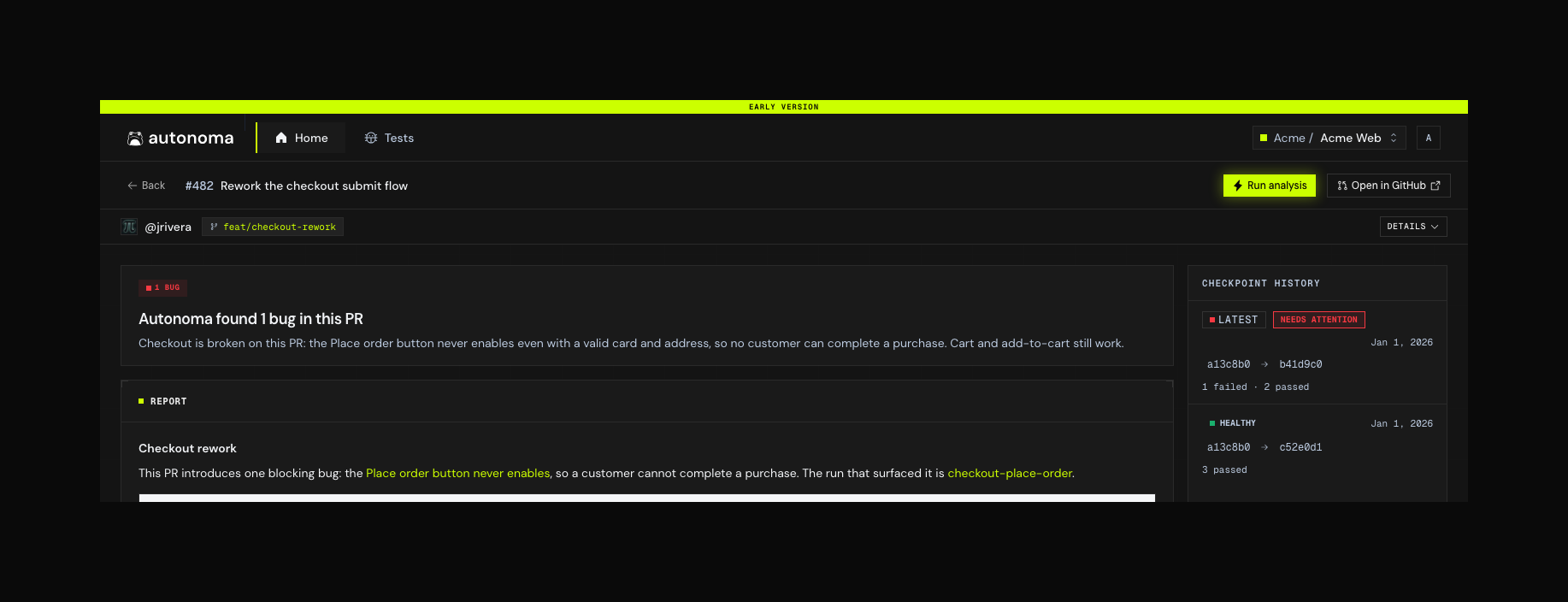
That last step is the one you live with day to day: a written verdict on the pull request, the bugs separated from the infrastructure noise, and the evidence for each.
When the PR closes, the preview environment and its data are torn down automatically.
What you set up
Autonoma gets you value in two stages: connect your repo to go live with preview environments and automated PR reviews, then deepen coverage by generating a test suite and wiring up real test data. Three pieces, set up in order:
Install the GitHub app and configure your stack. Every PR then gets a live, isolated preview - and an automated review. This alone gets you live.
Reads your codebase and generates a complete, natural-language E2E test suite - pages, flows, and scenarios. One command.
One endpoint in your backend that creates isolated test data before each run and tears it down after, so tests always start clean.
The Environment Factory has an SDK for every major stack - TypeScript, Python, Elixir, Java, Ruby, Rust, Go, and PHP. Copy a working endpoint for yours.
Using these docs with AI
Every page is available as plain text for coding agents. Point Claude Code, Cursor, or Copilot at the file below and it can pull in exactly the pages it needs:
https://docs.autonoma.app/llms.txtA single complete file with all pages concatenated is also available.
Contributing
Want to run Autonoma locally or work on the platform itself?
Clone the repo, install dependencies, and get the platform running locally.
How the monorepo fits together and the key design decisions behind it.