
Security & Troubleshooting
The endpoint creates and deletes data, so it’s protected by three independent layers and two separate secrets. This page also collects every error code and the fixes for the problems you’re most likely to hit.
The two secrets
Two secrets with different jobs. They must be different values. The SDK does not check this at startup - it returns SAME_SECRETS (HTTP 500) on the first request that arrives, so a handler with matching secrets boots cleanly and fails on first use.
| Secret | Env variable | Who knows it | Purpose |
|---|---|---|---|
| Shared secret | AUTONOMA_SHARED_SECRET | You + Autonoma | HMAC-signs every request. Autonoma signs; your SDK verifies. |
| Signing secret | AUTONOMA_SIGNING_SECRET | You, and Autonoma when it manages your preview | Signs the teardown token during up, verifies it during down. |
openssl rand -hex 32 # AUTONOMA_SHARED_SECRETopenssl rand -hex 32 # AUTONOMA_SIGNING_SECRET (must differ)The three layers
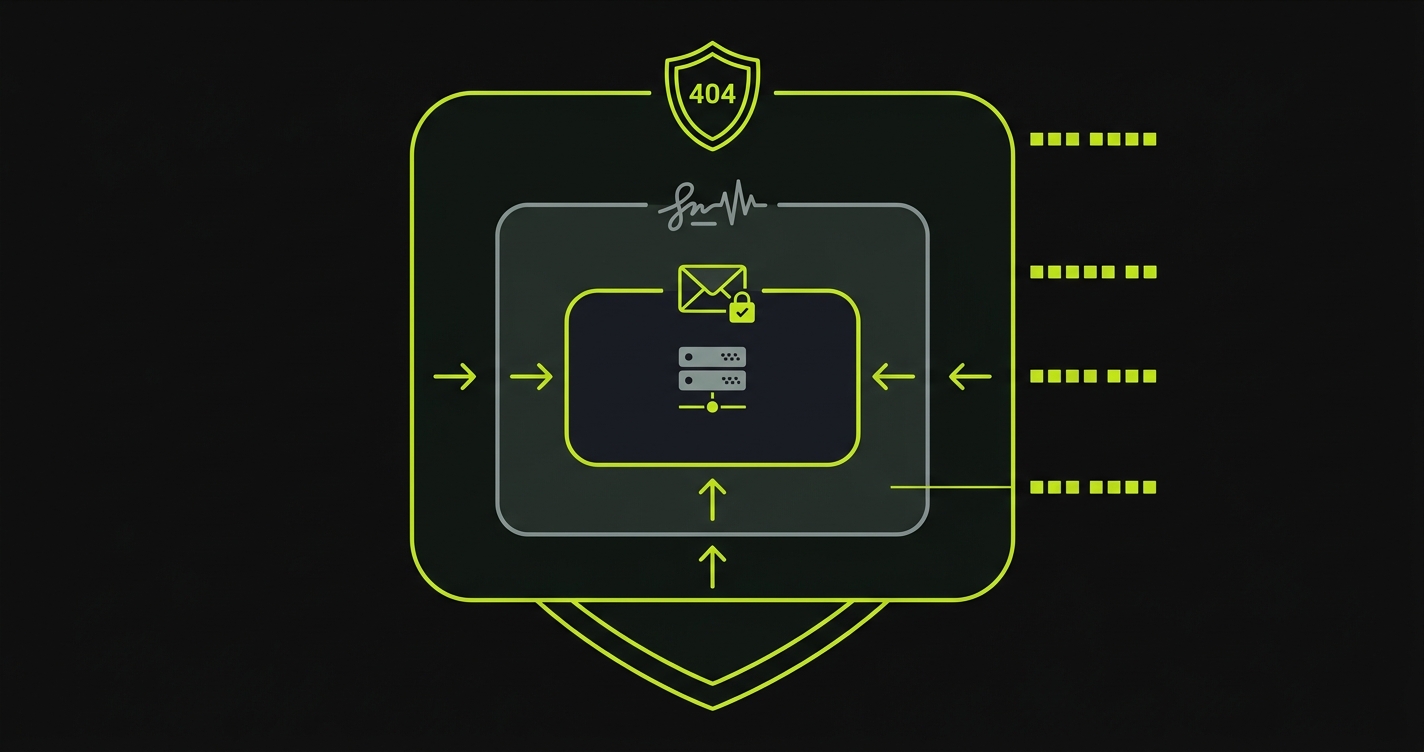
Layer 1 - Production guard (yours). Running on Autonoma preview environments (AUTONOMA_PREVIEWKIT is set in every preview)? Skip this layer entirely - previews are isolated, disposable, and never production. Deploying the factory in your own environments? Only mount the route outside production, with a condition you own:
if (process.env.NODE_ENV !== 'production') { app.post('/api/autonoma', createHandler({ ... }))}The SDK itself has no switch here - the guard is plain code in your app, so you can see exactly when the endpoint exists at all.
Layer 2 - Request signing (HMAC-SHA256). Every request carries an x-signature header: the HMAC-SHA256 of the raw body, keyed with the shared secret. The SDK verifies it automatically and rejects unsigned or tampered requests with 401. Even someone who finds the URL gets nothing without the shared secret.
Layer 3 - Signed refs token. When up creates data, the SDK signs the created record IDs into a refsToken using the signing secret. On down, it verifies that token before deleting anything - so down can only ever delete what up actually created. Autonoma just stores the opaque string and passes it back; it cannot forge or modify it.
| Attack | Why it fails |
|---|---|
| Fake refs with made-up IDs | No valid token → rejected |
| A real token with altered refs | Refs don’t match the token → rejected |
| A replayed token | Confined to the exact record IDs up signed into it - it can never delete anything else |
What the SDK can and cannot do
upcan only create. It invokes the factories you registered, which call your own services. It cannot update, delete, drop, truncate, or run raw SQL outside your factory bodies.downcan only delete whatupcreated, verified by the signed token. It calls each factory’steardownin reverse order.- The SDK never runs SQL itself. It calls your factories; they use whatever client your app already has.
Error codes
Every code the endpoint can return, with its fix:
| Code | HTTP | Meaning | Fix |
|---|---|---|---|
CONFIGURATION_ERROR | 503 | The handler is running without AUTONOMA_SHARED_SECRET and AUTONOMA_SIGNING_SECRET. Not emitted by every SDK - the TypeScript one fails differently | Set both in the environment where your backend actually runs - setting them locally but not in the deployed service is the usual cause |
INVALID_SIGNATURE | 401 | HMAC signature missing or doesn’t match | Make AUTONOMA_SHARED_SECRET match the value Autonoma uses for your app |
UNRESOLVED_TOKEN | 400 | A {{token}} in the recipe’s create has no matching entry under variables | Declare the variable, or fix the typo. Only {{testRunId}} and {{testRunShortId}} are built in |
INVALID_BODY | 400 | Body isn’t valid JSON, a required field is missing, or a _ref names an alias nothing declares | Match each record to its own top-level model key, supply every required field, and declare each alias with _alias in the same payload |
UNKNOWN_ACTION | 400 | action isn’t discover, up, or down | Check the request is one of the three actions |
UNKNOWN_ENVIRONMENT | 400 | The requested environment name does not exist | Use a scenario name your recipe actually declares |
INVALID_REFS_TOKEN | 403 | Refs token missing, malformed, or failed verification | Use the same AUTONOMA_SIGNING_SECRET between up and down |
PRODUCTION_BLOCKED | 404 | Older SDK versions only: the deprecated allowProduction option was not set | Upgrade the SDK (the endpoint is always enabled now), or set allowProduction: true until you can |
SAME_SECRETS | 500 | sharedSecret and signingSecret are identical | Use two different openssl rand -hex 32 values |
FACTORY_MISSING_PK | 500 | A factory’s create didn’t return an id | Return at least { id: "..." } from every create |
INTERNAL_ERROR | 500 | Unexpected server error - and the code for a record that fails a factory’s inputSchema, surfacing as Invalid input for "<Model>" | Check the failing model’s schema against the values the recipe sends, then your factory bodies and server logs |
Other common problems
These surface as database or validation failures rather than as a distinct code - a dry run reports them with the message your own handler produced.
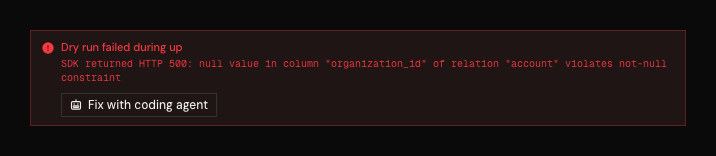
The message is passed straight through from your endpoint, so what you debug is your own stack trace, not a translation of it.
| Problem | Cause | Fix |
|---|---|---|
FK violation on up | A required foreign key is missing | Set every FK (including the scope field) explicitly as a { "_ref": "alias" } |
cycle detected in _alias/_ref graph | Two records reference each other through _alias / _ref | Break the cycle - the SDK rejects it rather than resolving it. Create one record first and attach the second reference from inside a factory |
| Parallel tests collide | Same email/slug across runs | Put a {{testRunId}} / {{testRunShortId}} token in every unique field |