
Connections
A connection is an env var whose value is a template resolved against the preview's own topology at deploy time - it's how an app learns the address of the database, cache, or sibling app that lives next to it in the preview.
Every preview is a fresh, isolated stack: your apps, databases, and services come up together in their own namespace, with addresses that don’t exist until deploy time. A production DATABASE_URL would point at the wrong database, and a hardcoded hostname can’t know the preview’s namespace. Connections close that gap: you write {{db.url}}, and every preview resolves it to that preview’s own database.
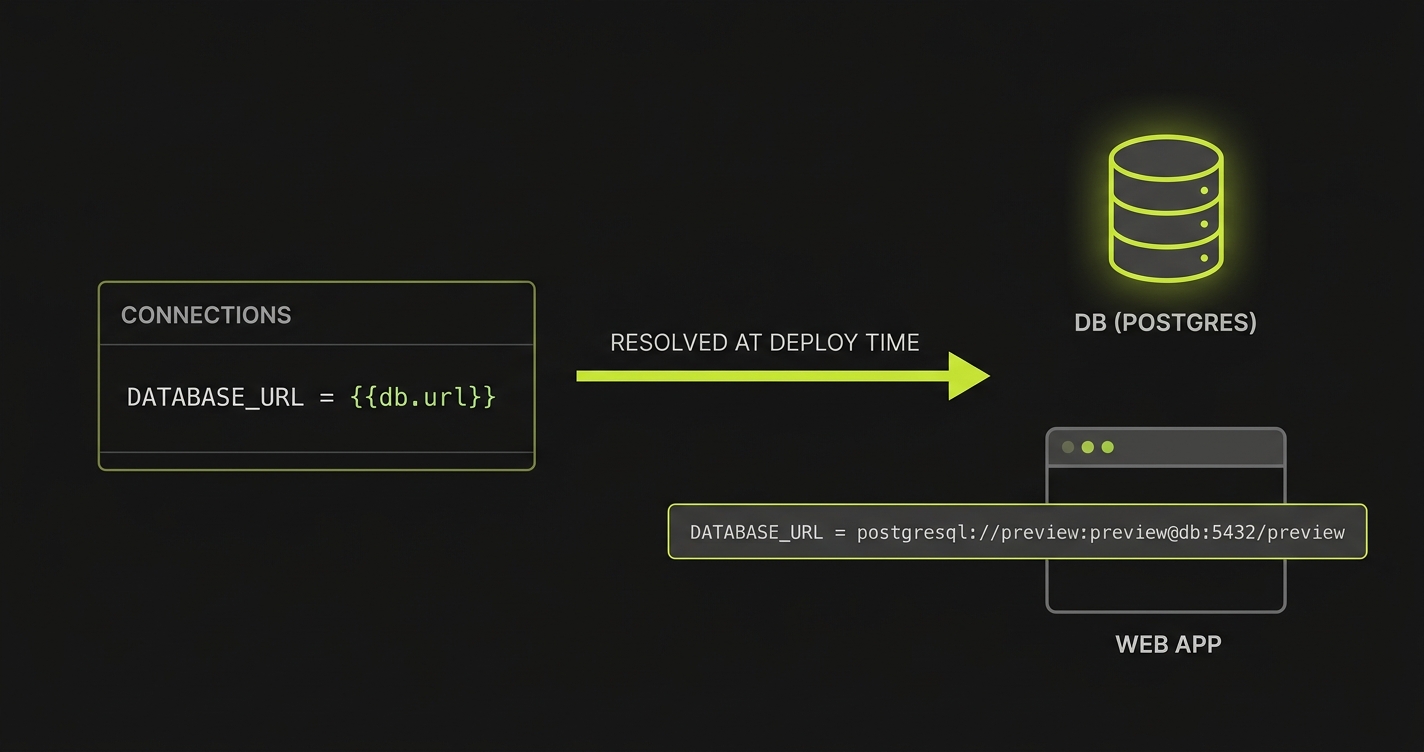
Wiring an app to a database
The one-token case covers most apps - {{db.url}} expands to the service’s full canonical connection string:
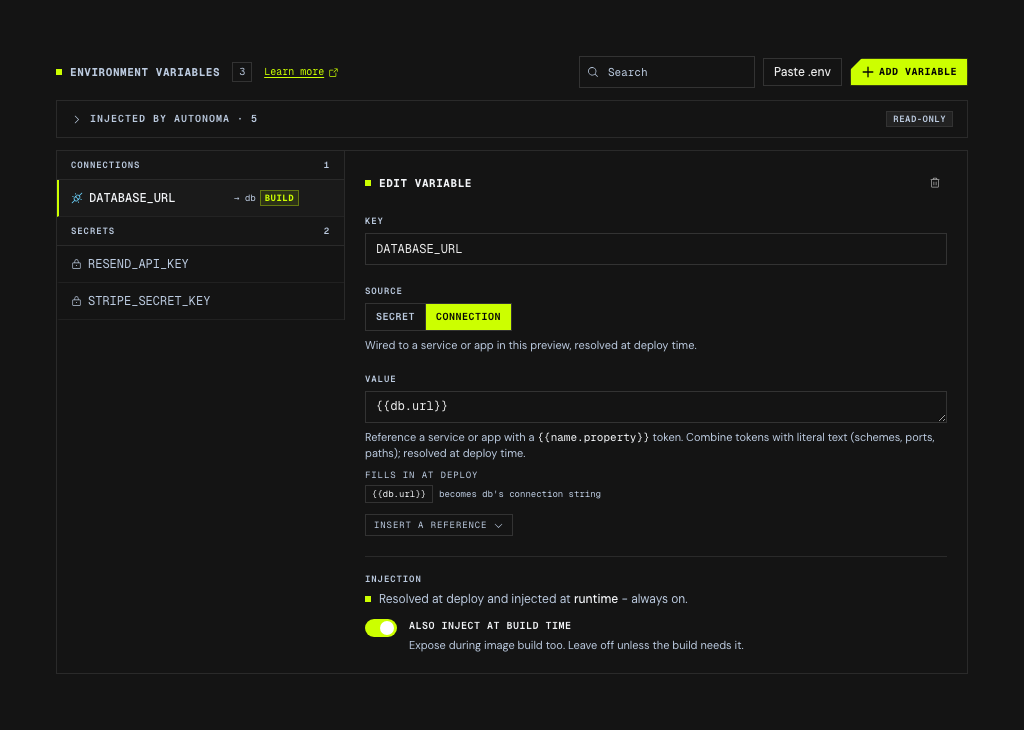
In the dashboard this is the Connection source, and the editor resolves each token as you type - so you can see what {{db.url}} will become before you deploy, and a name that isn’t declared is flagged there rather than at save time.
# stack configurationapps:    - name: web      port: 3000      connections:          - key: DATABASE_URL            value: "{{db.url}}"
services:    - name: db      recipe: postgres      version: "16"
For a postgres service named db, the value resolves to postgresql://preview:preview@<host>:<port>/preview. Need a different database name, user, or query params? Build the URL by hand from the smaller tokens:
connections: - key: MONGO_URI value: "mongodb://{{db.host}}:{{db.port}}/preview?replicaSet=rs0"Template reference
A connection value mixes literal text with {{name.property}} tokens, where name is any app or service declared in the same configuration. A value with no token at all is fine too - use it to pin non-sensitive per-environment config like NODE_ENV=production.
| Token | Resolves to |
|---|---|
{{service.url}} | The service’s full in-cluster connection string: postgres -> postgresql://preview:preview@<host>:<port>/preview, mysql -> mysql://<user>:<pass>@<host>:3306/<db>, redis / valkey -> redis://<host>:<port>, mongodb -> mongodb://<host>:<port>/?directConnection=true |
{{service.host}} / {{service.port}} | The service’s in-cluster DNS name and port |
{{app.url}} | The app’s public HTTPS preview URL |
{{app.hostname}} | The app’s public hostname, without the scheme |
{{app.host}} / {{app.port}} | The app’s in-cluster DNS name and port (app-to-app traffic that shouldn’t leave the namespace) |
{{pr}} | The pull request number |
{{namespace}} | The preview’s Kubernetes namespace |
{{owner}} | The repository owner |
Services whose recipe has no single canonical scheme (e.g. temporal) expose only host / port.
Referencing a name that isn’t declared in the configuration is a validation error at save time, so typos never make it to a deploy.
Connections vs. secrets
Connections and secrets answer different questions:
| Connection | Secret | |
|---|---|---|
| What it holds | A templated or literal, non-sensitive value | A sensitive value (API key, token) |
| Where it lives | In the stack configuration, in your repo’s history | Encrypted storage - never in the repo |
| When it resolves | At deploy time, per preview | Uploaded once, mounted as-is |
A connection wins over a stored secret with the same key. That makes it the override channel for preview wiring: your team can keep a production-shaped DATABASE_URL secret uploaded, and the preview’s {{db.url}} connection overrides it inside the preview only.
Build-time connections
Some values must exist while the image builds, not just at runtime - a Vite or Next.js frontend bakes its API URL into the client bundle. Set build_time: true and the resolved value is also passed as a Docker build arg:
connections: - key: VITE_API_URL value: "{{api.url}}" build_time: trueThis is the connection counterpart of a build-time secret: use build_time on a connection for topology values, and the secret’s own build-time flag for sensitive ones.