
Lifecycle hooks
Lifecycle hooks are commands Autonoma runs around each deploy of the whole preview: before your apps start, and after they're ready. Most projects never need them.
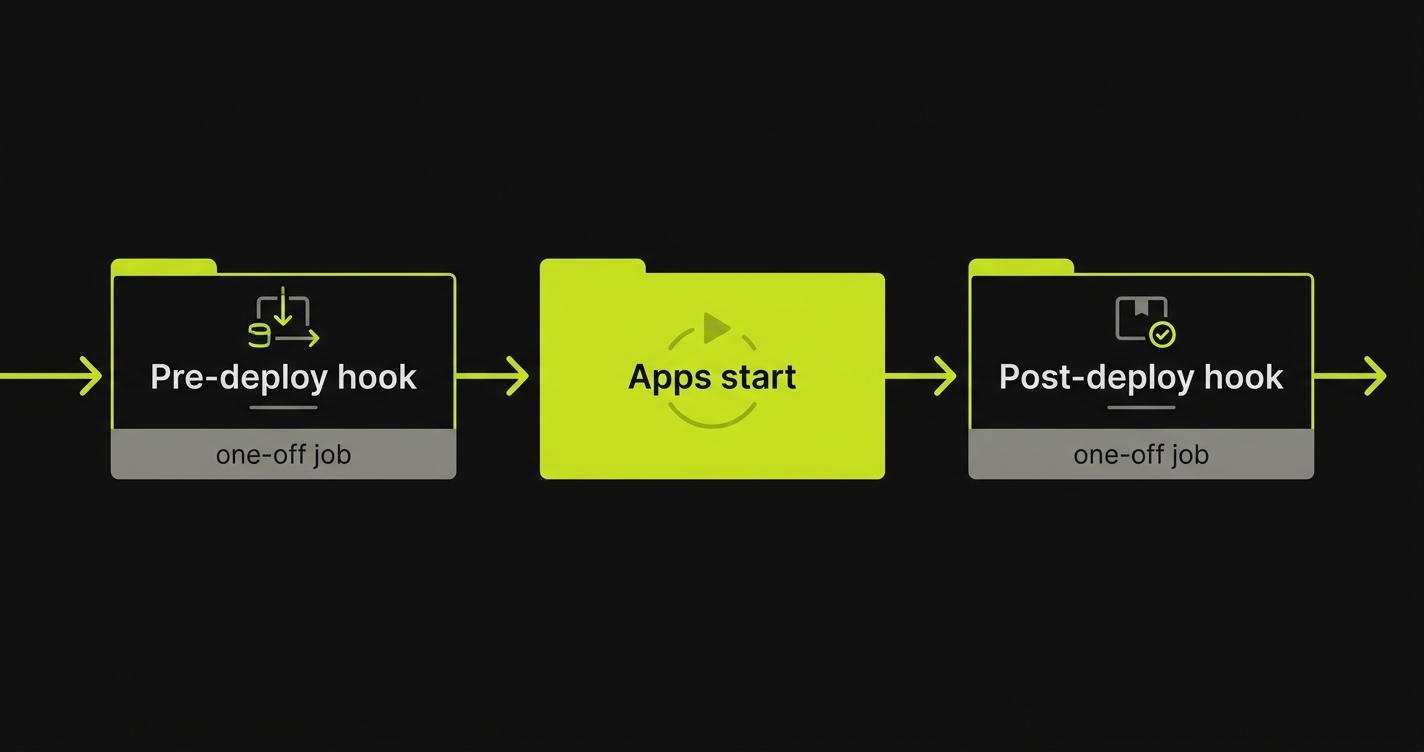
Think of a hook as a step that belongs to the preview itself, not to any single app or database. When a preview deploys, Autonoma runs your pre-deploy hooks, brings the apps up, then runs your post-deploy hooks. Both groups are optional, and you add as many commands to each as you like.
Pre-deploy and post-deploy
Hooks live in two groups, chosen by when you need them to run:
| Group | When it runs | Good for |
|---|---|---|
| Pre-deploy | Before your apps start. | Cache warmup, feature-flag sync. |
| Post-deploy | After your apps are ready. | A smoke test, notifying Slack. |
Every hook belongs to an app, which is what decides the image its command runs in. A hook is a one-off Kubernetes Job launched from that app’s built image, so the command has that app’s code, dependencies and secrets available - and nothing else. Picking the app is required; the config will not save without it.
A pre-deploy hook runs before the apps start. A post-deploy hook runs once its own app is ready - not once every app is. Two things follow that are easy to get wrong:
- A post-deploy hook whose app never came up is skipped silently (the deploy itself then fails, since a preview only publishes when every app is ready).
- A failing post-deploy hook does not fail the deploy. It is reported as a warning on the PR comment and the preview is still published, so a smoke test here will not gate anything.
Migrations: prefer the database’s own setup
You can run a migration from a pre-deploy hook - it is a documented use, and the hook’s own help text in the dashboard suggests it. Prefer putting it on the database instead.
A database’s setup tasks are owned by that database, so Autonoma runs them at the right moment for it, and each database carries its own schema and seed data rather than one preview-wide step doing everything. Reach for a pre-deploy hook when the work genuinely spans the preview, or when it does not belong to any single database. See databases for where setup commands go.
Optional by design
Hooks sit off the main onboarding flow - you reach them through the optional tab, or the “finish here” fork on the Variables step. Skip them entirely if your preview doesn’t need work around its deploys, and come back to add one whenever you do.