
Databases
A database is a first-class part of every preview: pick the engines your app needs, and Previewkit runs the schema, seed, and migration steps that bring each one to life - with your repo checked out, so the files those steps depend on are actually there.
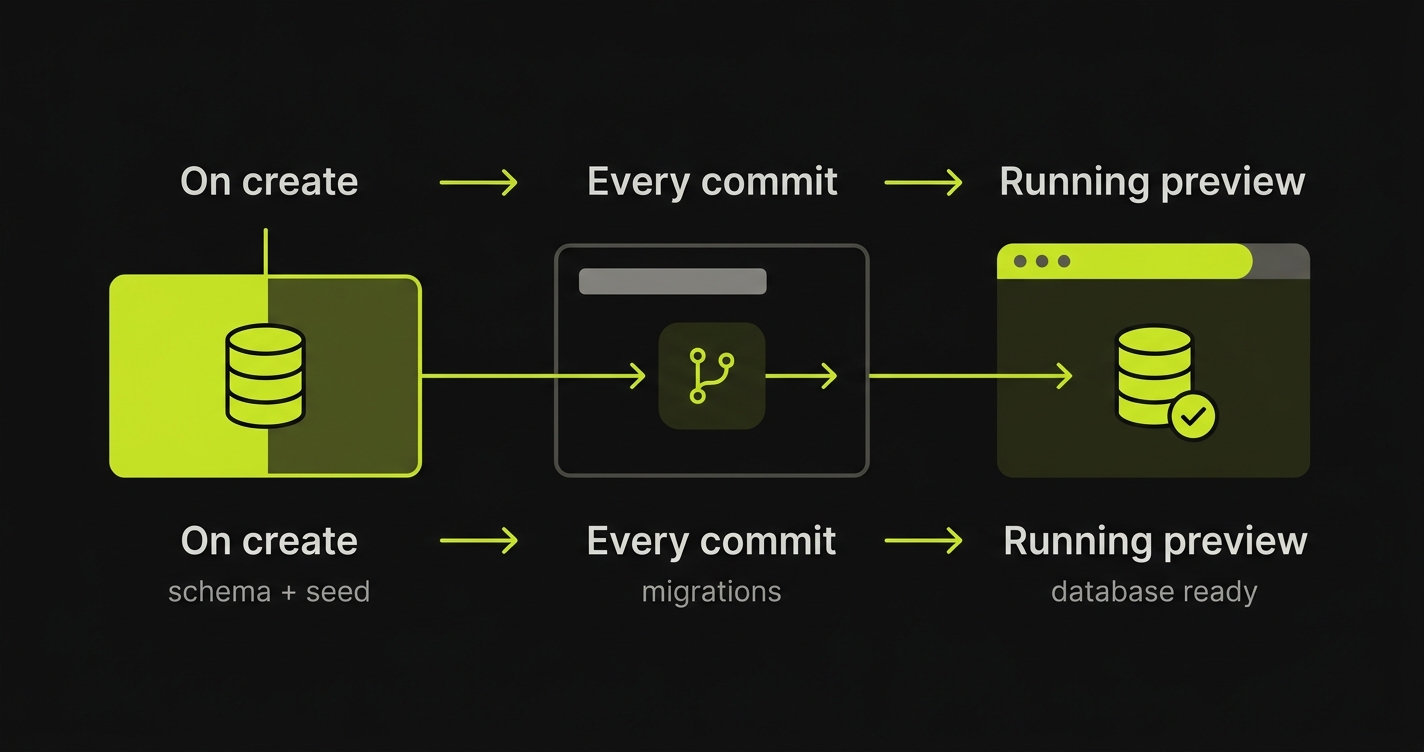
Databases are their own step in onboarding. Most apps declare at least one; many declare several. Add as many as your app needs - each gets its own card and its own setup.
Add the databases your app needs
A preview can run more than one database at once - Postgres for your data, Redis for your cache, Mongo for a document store - side by side. Each is an independent card where you choose an engine and a version:
| Engine | Default port | Example version |
|---|---|---|
| Postgres | 5432 | 16 |
| MySQL | 3306 | 8 |
| MongoDB | 27017 | 7 |
| Redis / Valkey | 6379 | 7 |
The engine sets the default port and pulls the right image; the Version field pins the exact tag, so a repo on an older engine is never forced onto ours. The Name is filled in for you (db, cache, mongo, …) and is what the connection string uses - edit it if you want a different one. Add a card per database, and the preview brings them all up together.
Caches usually need no setup tasks. Add a version and you’re done - or add an on-create task if you pre-warm the cache.
Setup tasks
An empty database rarely matches what your app expects. It needs tables, seed rows, and the migrations that have accumulated since. Those steps almost always live in your repo - a db/schema.sql, a seed script, a migrate command - not in the database image, which is built for production and often ships none of them.
So Previewkit runs your setup tasks with the repo checked out, the same way an app’s bash build commands run. A command like psql < db/schema.sql finds the file because the repo is right there. Under the hood each task runs as a job with the repo available, but from your side it’s just a command and a place for it to run.
Tasks are split by when they run, with sensible defaults you can override. Both sections are optional.
Run once - on create
Schema and seed data go here - the tasks that bring a fresh database to life the first time it’s created. Your repo is checked out, so files like db/schema.sql are available even if the image doesn’t ship them.
# on createpsql < db/schema.sqlnpm run seedIf your app already builds its own schema on boot, leave this section empty - or, once you’ve added tasks, Skip - my app handles this clears them in one click.
Run on every commit / PR
Migrations go here, so every preview reflects the current branch:
# on every commitnpm run migrateThese run on every full preview deploy - each new commit pushed to the PR. A per-app redeploy from the dashboard re-rolls just that one app and does not re-run setup tasks, so reach for a full redeploy when you need migrations applied. Skippable too, if the app migrates itself on startup.
Defaults, not rules. Schema and seed default to on-create; migrations default to every-commit. But nothing is forced - move any task to whichever bucket fits your project.
Where a task runs
Every setup task runs as a one-off job with your repo checked out, after the databases are up and before your apps start. What you choose is which app’s build the command borrows:
| In the build | Separate job | |
|---|---|---|
| Image | A chosen app’s built image | The primary app’s built image |
| Repo | That app’s checkout, with its build output available | The primary repo’s checkout |
| Reach for it when | The task needs a specific app’s build output or its installed dependencies | The task just needs the primary repo checked out |
In the build runs the command from the app you pick, so the task sees that app’s repo checkout and everything its build produced - reach for it when a step depends on a particular app (a compiled asset, an installed CLI).
Separate job runs the same command against the primary app’s image, standing on its own - reach for it when a setup step just needs the repo and shouldn’t be tied to any one app.
Which repository it runs against
The setup command always has a repo checked out. A preview can span more than one repository, because apps can be added from another repository - so when there’s more than one, an in-build task’s App picker chooses which app (and therefore which repo’s checkout) the command borrows. With a single repository the picker stays hidden and that repository is used.
The before / after position on an in-build task, and the Repo you pick for a separate job, are recorded with the task but not yet honored: the runner currently executes every setup task as a standalone job against the primary repo’s checkout, between the databases coming up and the apps starting. So build-step ordering and per-repo checkout for a separate job are captured for when that lands, but today an in-build task’s chosen app image and the primary repo are what’s used.
Next steps
- Apps and builds - how each app in your repo becomes a running container
- Lifecycle hooks - run commands at other points in a preview’s life
- Multiple repositories - pull apps, and their databases, from more than one repository into a single preview